
From the first evening to the day it matters
What setting up each product looks like, a step at a time. A family starts Guardian on their own; a church starts Faith with a demonstration.
For families
VantageIQ Guardian
Most families set Guardian up in an evening. Nothing is installed to begin: it runs in the browser on any phone or computer.
- 01
Add your family
Add each person with a photo, emergency contacts and medical details. Give the adults and teenagers their own login.
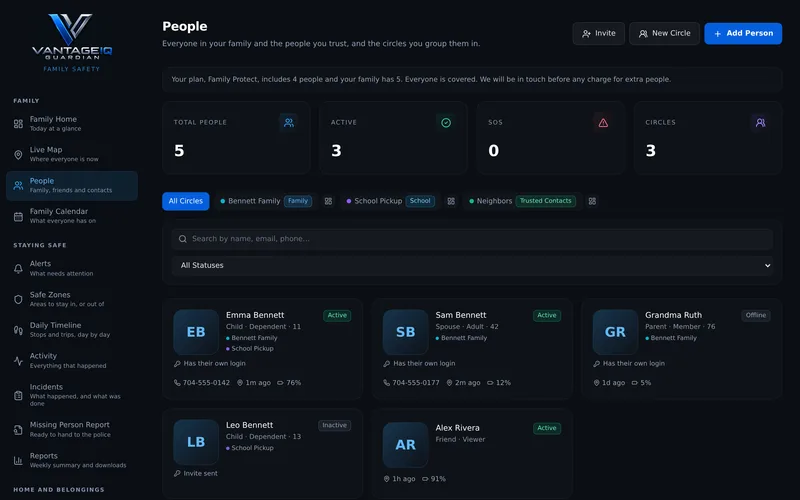
Shown with a made-up family.
- 02
Each person agrees to share
Send each person a link. They read what will be shared and agree on their own phone; until they do, nothing is shared. For all-day sharing, Guardian walks them through a free app called OwnTracks.
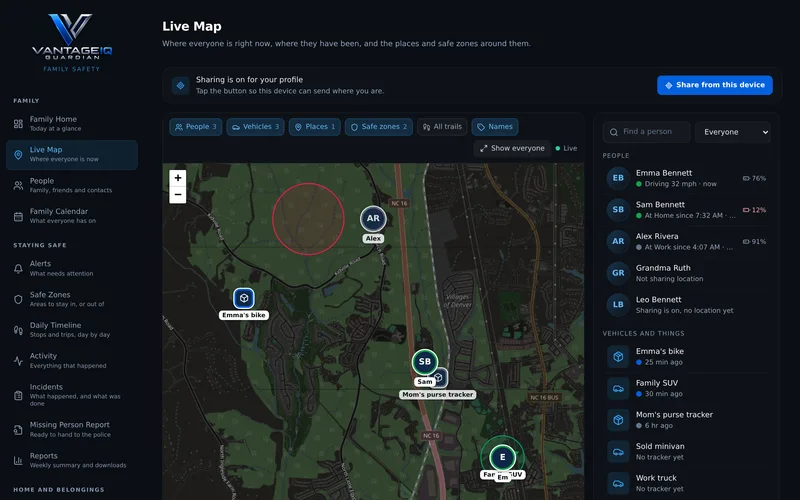
Shown with a made-up family.
- 03
Draw safe zones and choose alerts
Draw a circle around home or school. Guardian tells the parents and guardians by email when someone leaves it, asks for help, or is somewhere out of the ordinary.
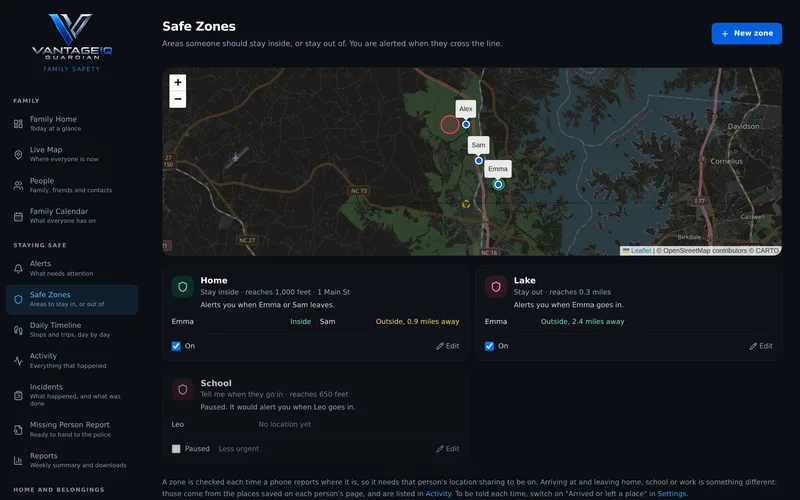
Shown with a made-up family.
- 04
Keep what you would need on the worst day
Put documents, vehicles and valuables on file. If someone goes missing, what the police ask for is ready as one PDF.
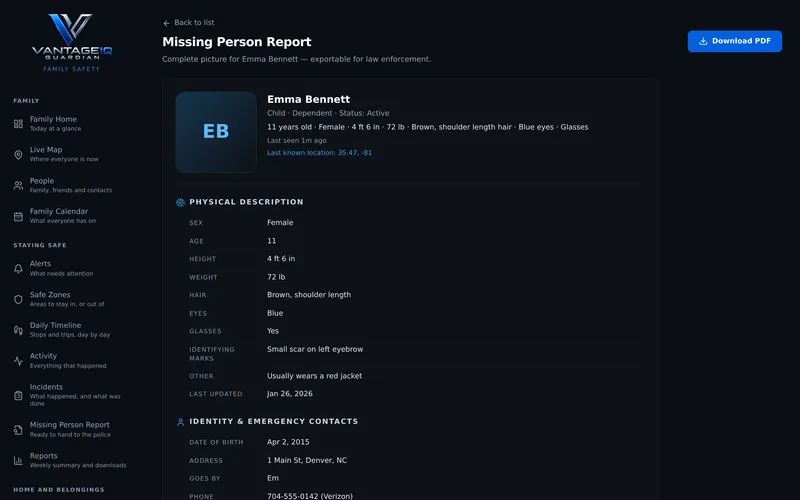
Shown with a made-up family.
Ready to begin with Guardian?
14 days free for every new family. No card needed.
For churches
VantageIQ Faith
Faith starts with a demonstration: we walk you through a fully built demo church, then help you set up your own campuses.
- 01
Set up your campuses and team
Add your campuses, invite your team, and build your organization chart and team rotation.
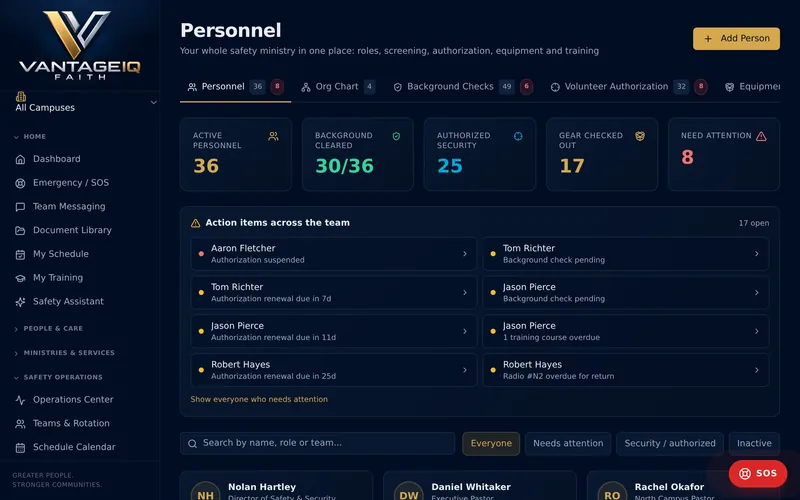
Shown with a fictional demo church.
- 02
Assess where you stand
Walk through the guided security assessment for each campus. You get a readiness score and a list of findings in order of priority.
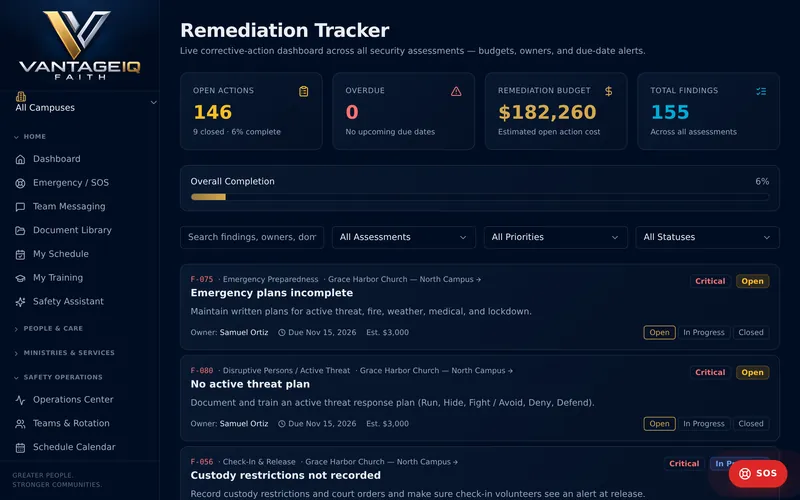
Shown with a fictional demo church.
- 03
Train and staff every service
Assign required training, schedule drills, and staff each service with posts and shifts.
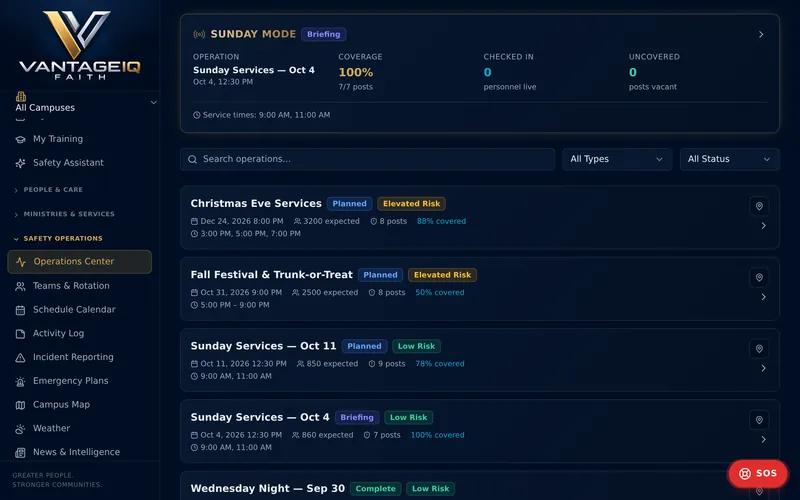
Shown with a fictional demo church.
- 04
Respond, report and improve
Record incidents and daily reports as they happen, and close findings over time.
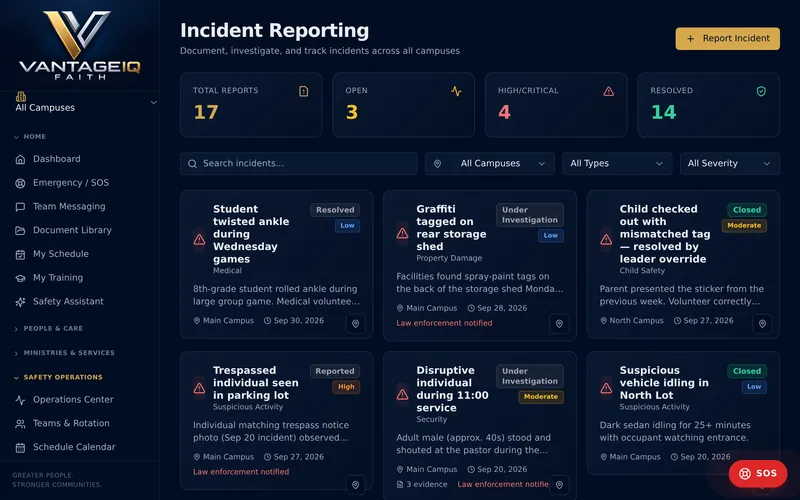
Shown with a fictional demo church.
Ready to begin with Faith?
Plans from $149 a month.
Protect what matters most.
Start with the product that fits, or write to us with a question, for a demonstration for your church, or for help with your account.
support@vantageiqtechnologies.com
Charlotte, North Carolina